
Audit Overview
Your store's untapped revenue potential — and how to unlock it
Why We Created This Audit
We analyzed https://oosc-clothing.com/ the same way we've audited 350+ e-commerce stores — looking for the specific gaps between your current experience and what top-performing Fashion & Apparel stores deliver. Every finding in this report is a revenue opportunity backed by industry data and competitive benchmarks.
What We Analyzed
- UX & Conversion Design9 findings
- Performance & Speedvs 4 competitors
- Technology & App StackPlatform + 15 apps
- Industry BenchmarksFashion & Apparel
Pages Analyzed
- Homepage3 findings
- Collection Pages2 findings
- Product Pages (PDP)2 findings
- Cart & Checkout2 findings
 This audit was prepared by Growisto — a CRO-led Website development team behind 167% conversion growth for Atomberg, 46% CR lift for TyresNmore, and 350+ e-commerce projects.
UX & Conversion Findings
Page-by-page analysis with visual comparisons against top Fashion & Apparel stores

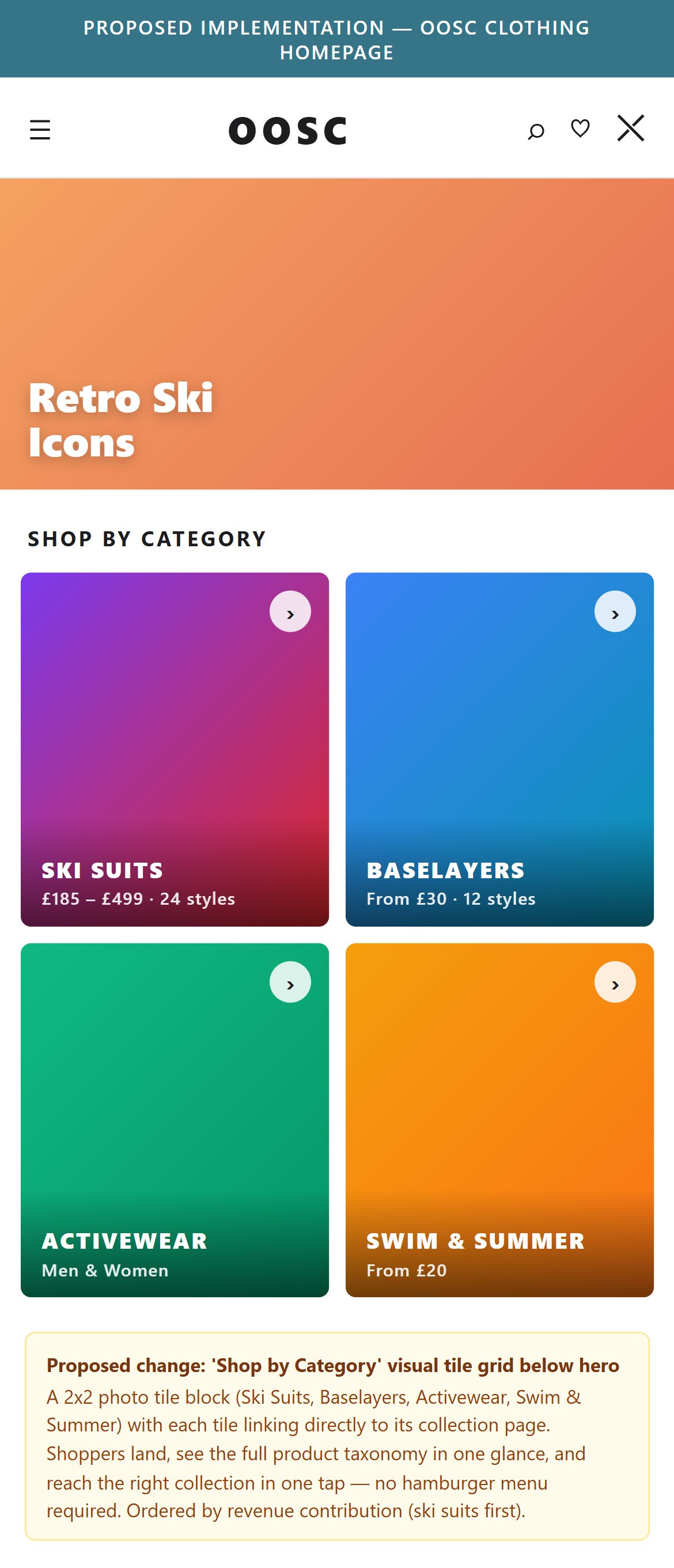
- OOSC's homepage has no above-the-fold email capture prompt and no delayed slide-in — the only email signup is a plain 'Sign up for our newsletter' form at the bottom of the footer, below several site-map columns, with no incentive or offer attached.
- Given OOSC's specific business model — ski suit restocks END after the 26/27 season — an intent-signal email list is the single highest-leverage marketing asset for the next 12 months. Every visitor who leaves without dropping an email is a lost re-marketing opportunity that can't be replaced by paid.
- The current footer signup has no offer ('10% off first order', 'Early access', 'Waitlist' — none of these appear). Industry benchmark: 60% of fashion Shopify stores run either a delayed popup or a persistent slide-in with an incentive; conversion on incentivized signups runs 3-6× the rate of plain 'subscribe' forms.
- The offer that fits OOSC's context is not a generic '10% off' but a pre-season waitlist play — 'Join the 26/27 Waitlist: early access + 10% off your first suit'. This turns the last-restock scarcity into an email-capture asset.
- Delayed slide-in (fire after ~8 seconds or 30% scroll depth) is the pattern that reads as least intrusive on mobile — a first-time visitor sees the hero, browses briefly, then gets the prompt when engagement is already established.
- Add a delayed slide-in email capture prompt to the mobile homepage, firing after ~8 seconds or 30% scroll depth, with the offer copy tied to OOSC's business model ('Join the 26/27 Waitlist: early access + 10% off your first order'). Klaviyo, Privy, or the Shopify Forms app all support this out of the box.
- In the site footer, add a dedicated 'Waitlist' section (separate from the general newsletter) with the same offer copy — captures shoppers who scroll all the way down without triggering the slide-in.
- Include the pre-season urgency in the copy itself ('Ski-suit restocks end after 26/27 — get first access when the next drop lands'). Vague 'get updates' copy converts a fraction as well as specific offers.
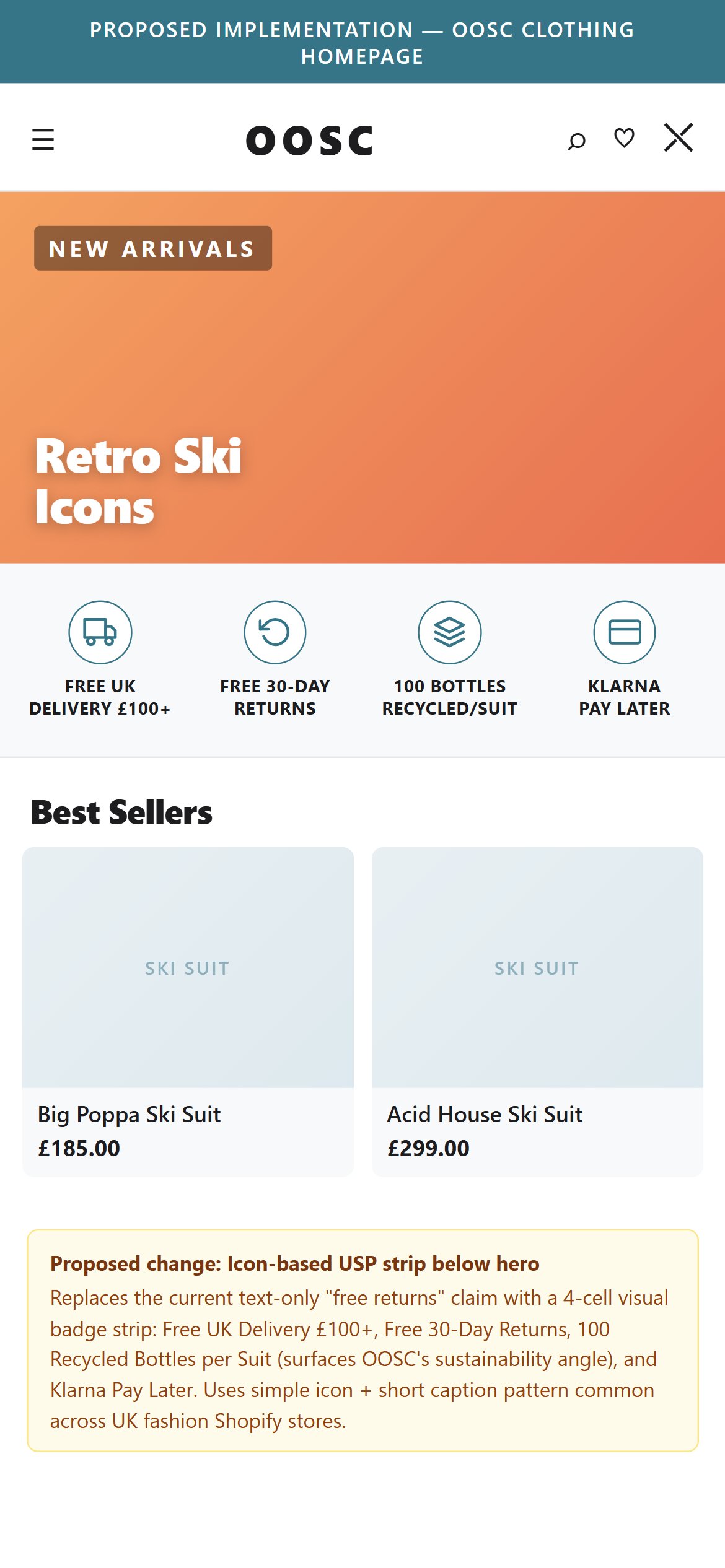
- OOSC's homepage above-the-fold area shows only a promotional announcement bar ('SAVE UPTO 50% SHOP OUR END OF SEASON SALE') and a countdown timer — no iconographic trust badges appear in the first 2 scrolls.
- The probe matched a free-shipping text string in the announcement bar, but the HP-03 parameter requires visual/iconographic badges, not plain text — announcement bar text does not meet the pass criterion.
- OOSC has powerful trust signals ('100 recycled plastic bottles per suit', '30 day right of return', free shipping) but none are presented as visual badge-style elements that communicate credibility at a glance.
- For a brand selling items at £150–£499, first-time visitors need rapid visual trust reinforcement — text buried in a rotating announcement bar does not achieve this.
- Add a horizontal trust bar of 4–5 iconographic badges below the hero section: a recycling icon ('100 Recycled Bottles'), a returns icon ('30-Day Returns'), a shipping truck ('Free UK Shipping'), and a padlock ('Secure Payment').
- Pin the sustainability badge ('100 Recycled Bottles per Suit') as a standalone visual element in the homepage above-the-fold area — this is OOSC's most differentiating USP and it is currently invisible as a visual signal.

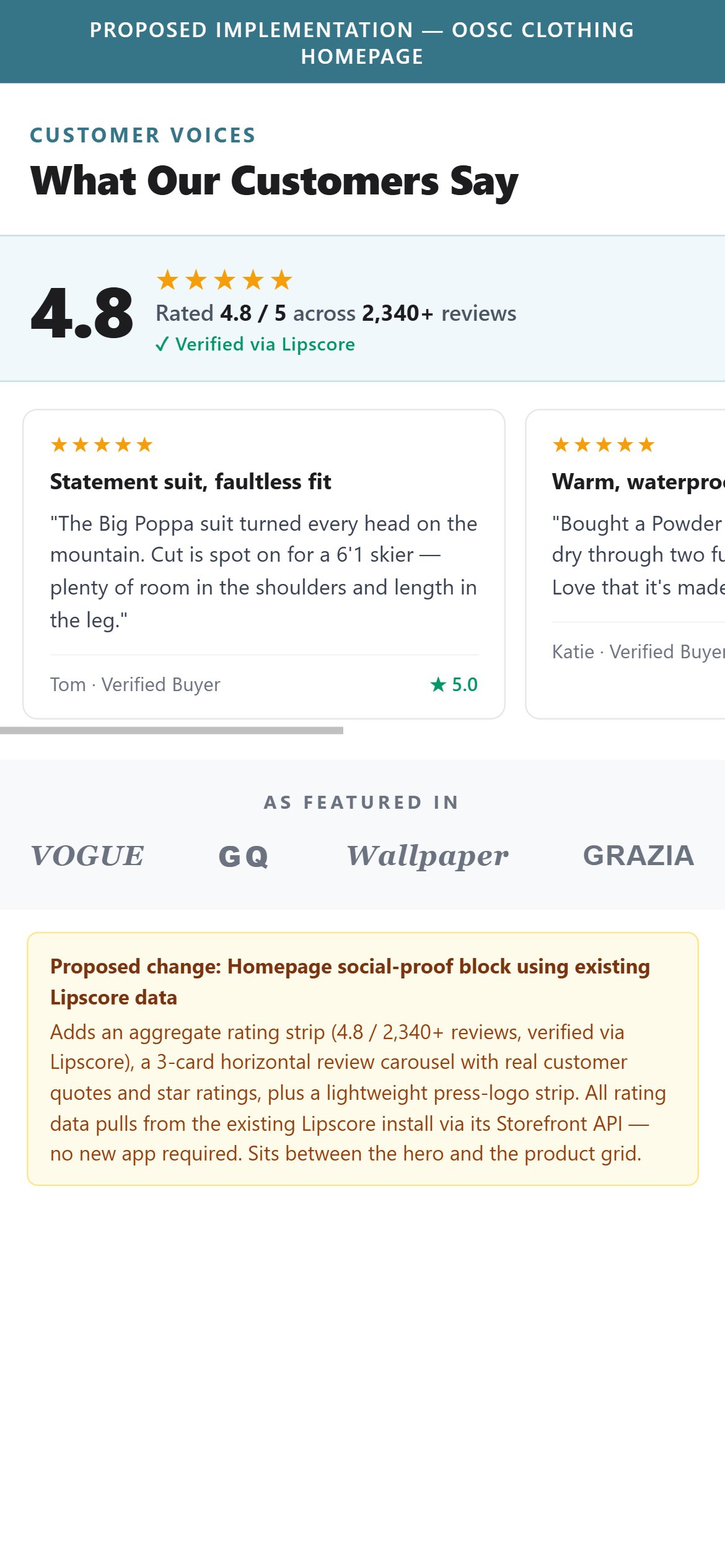
- OOSC's homepage displays a 'Featured In' press logos strip (The Times, In The Snow, The Independent, Daily Mail, Daily Express, Condé Nast Traveler) — a strong editorial-credibility signal, but this covers only ONE of the three social-proof formats fashion brands typically use.
- The homepage lacks the other two formats: no customer review carousel (individual quotes with star ratings), and no aggregate 'Rated 4.8 out of 5 across 2,340+ reviews' badge from the Lipscore data that IS already collected on PDPs.
- First-time visitors trust editorial coverage differently from customer voice — press logos say 'a critic reviewed this', customer testimonials say 'someone like you bought this and loved it'. For a £150–£499 ski suit, both signals matter.
- The Lipscore reviews are already collected and visible on individual PDPs — surfacing an aggregate rating + 2–3 top reviews on the homepage takes a single Shopify section addition (Lipscore Storefront API), no new app required.
- 7/10 top fashion stores show customer voice on the homepage in addition to (or instead of) press logos — Skims features an AI-summarized review row, Gymshark shows a full-width review carousel. OOSC has the raw data but hasn't surfaced it above PDP level.
- Add a 'What Our Customers Say' section below the press logos strip — aggregate Lipscore rating (e.g. '4.8 out of 5 · 2,340+ reviews') plus 2–3 hand-picked review snippets with star ratings and reviewer names, pulled from the existing Lipscore install.
- For sale-focused pages (like the 'PAY DAY STEALS' hero), pin a hero-adjacent 'Verified by 2,000+ 5-star reviews' badge — anchors the browse with quantified customer trust before the shopper reaches a PDP.
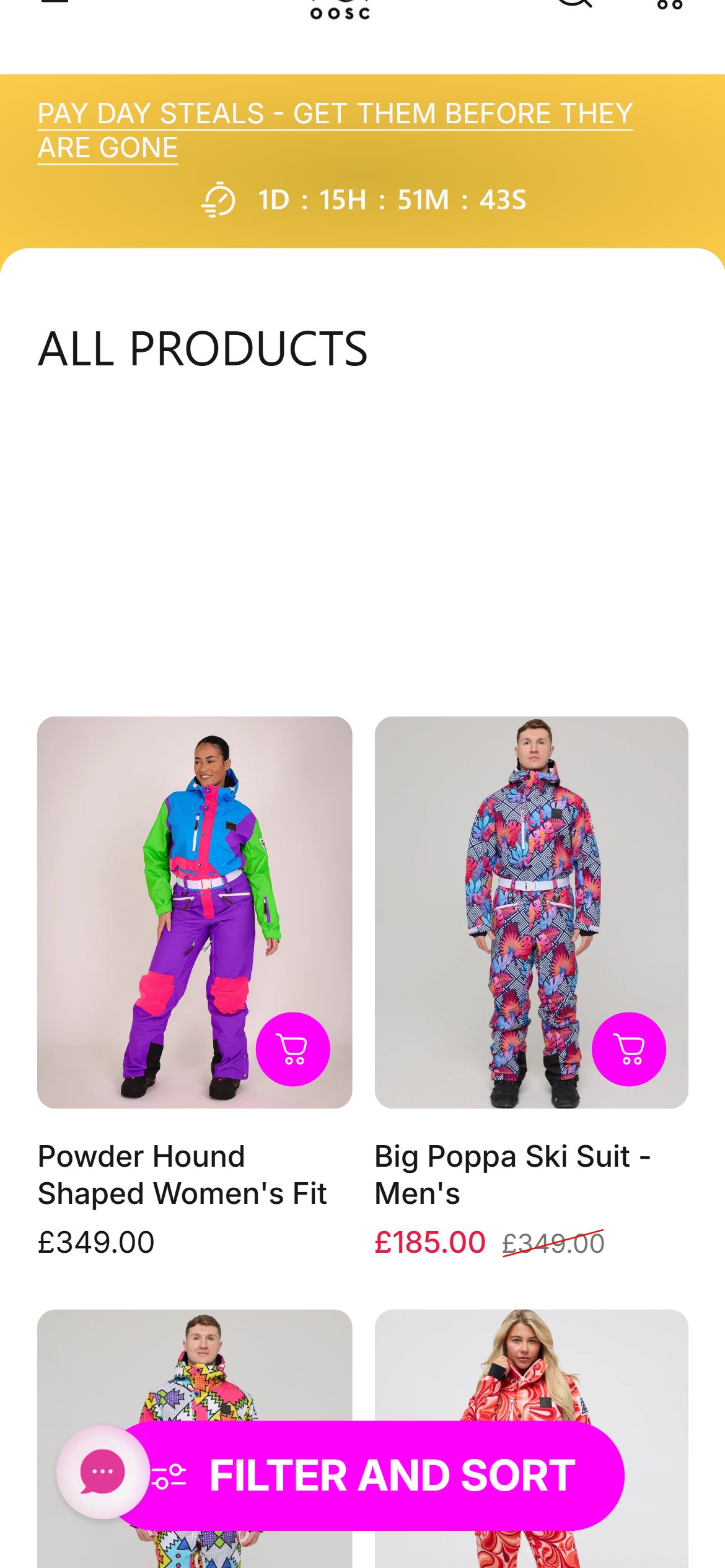
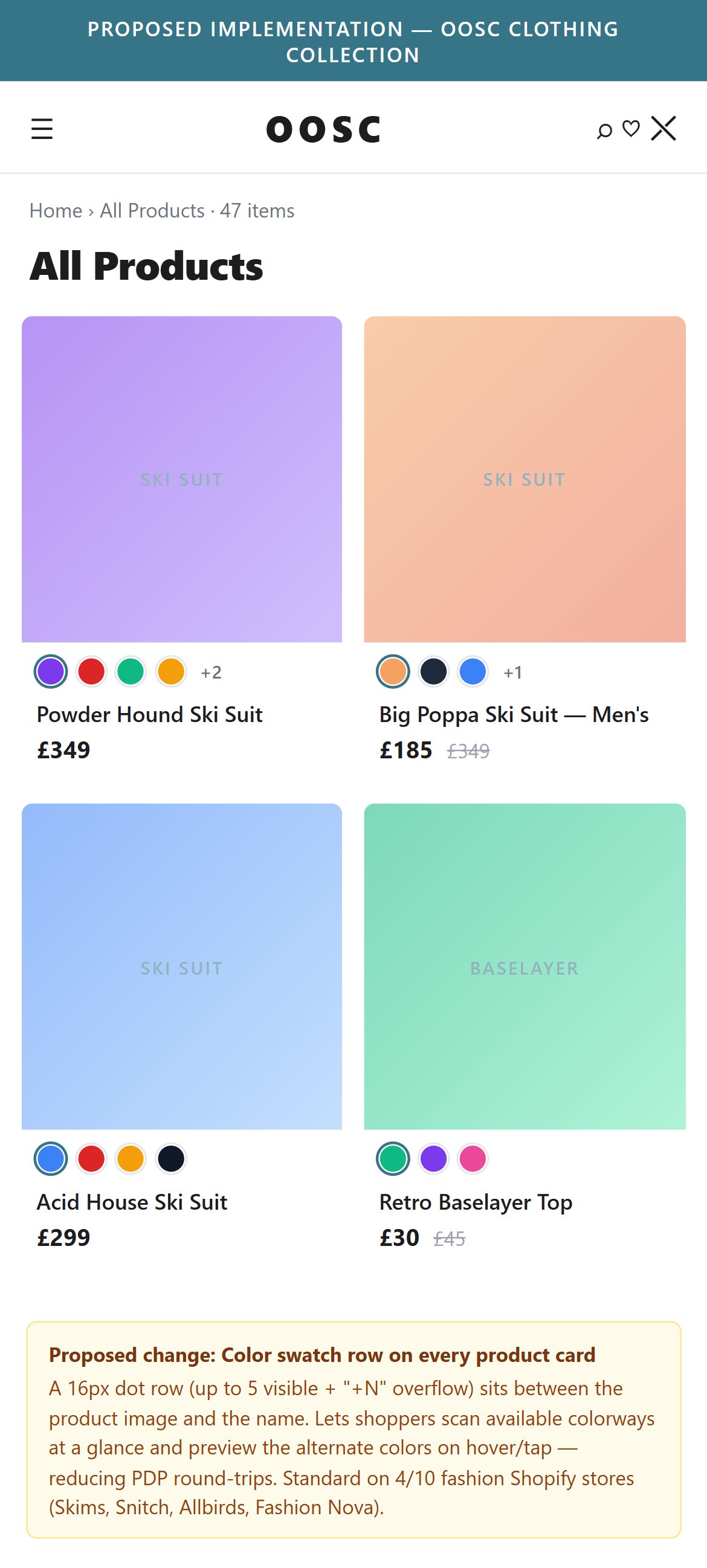
- Every OOSC product card shows a single product image, name, and price — there are no color swatches or variant indicators showing that other colorways exist.
- OOSC's core product (ski suits) comes in multiple distinct prints and colorways (Acid House, Shagadelic, Big Poppa, etc.) — each visually striking and a key purchase driver. Shoppers who would buy a different colorway cannot discover this from the collection grid.
- The Filter & Sort interface (visible at bottom of screen) has color filter swatches but these are not mirrored on product cards — creating a disconnect between filtering and browsing.
- 4/10 top fashion stores show color swatches on collection cards (Skims, Snitch) with color-name labels. Skims shows named color groups per card with instant image swap.
- Add color swatch dots below each product card showing the available prints/colorways for that product. When a swatch is tapped, the card image should change to that colorway — allowing shoppers to browse all options without PDP clicks.
- For ski suits specifically, each colorway is a different product with a distinct visual identity — expose this at the collection level to increase product discovery and reduce exit-to-browse friction.
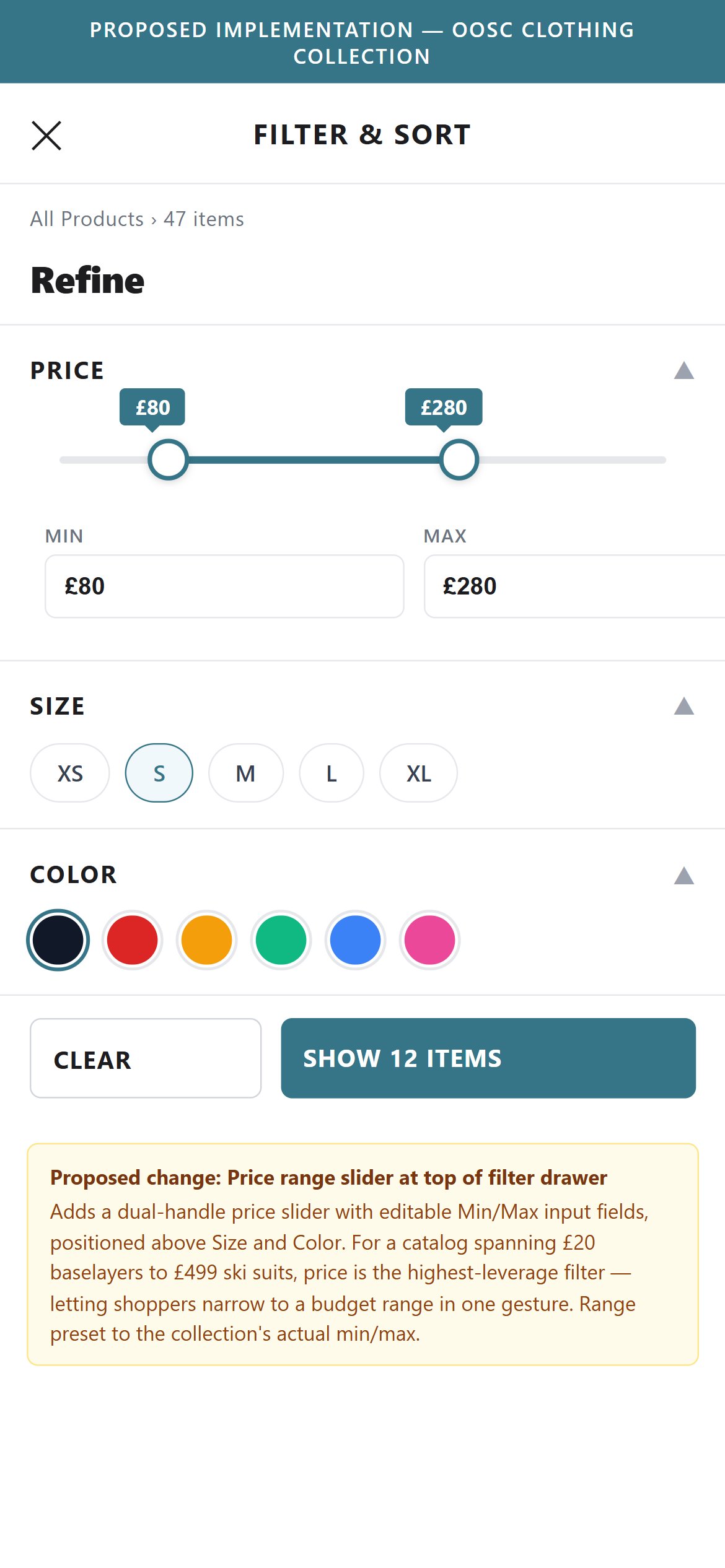
- OOSC's 'Filter And Sort' panel does not include a price range slider or min-max price input — shoppers have no way to narrow products to a specific price band.
- OOSC's catalog spans £30 (accessories) to £499 (ski suits) — a 15x price range. Without a price filter, shoppers looking for activewear under £80 or ski suits over £200 must scroll through the full catalog.
- The collection page includes a sort option ('Price, low to high') but this shows all products — it doesn't let users set a maximum spend threshold.
- 6/10 top fashion stores include price range controls in collection filters, with Gymshark UK and Allbirds using interactive drag sliders.
- Add a price range slider to the Filter And Sort panel with a visual dual-handle slider and text inputs for min/max price — Shopify's native Filter & Sort feature supports this with no additional apps.
- Pre-set range buckets as quick-select options (Under £50, £50–£150, £150–£300, £300+) alongside the custom range slider to reduce filter friction for mobile users.
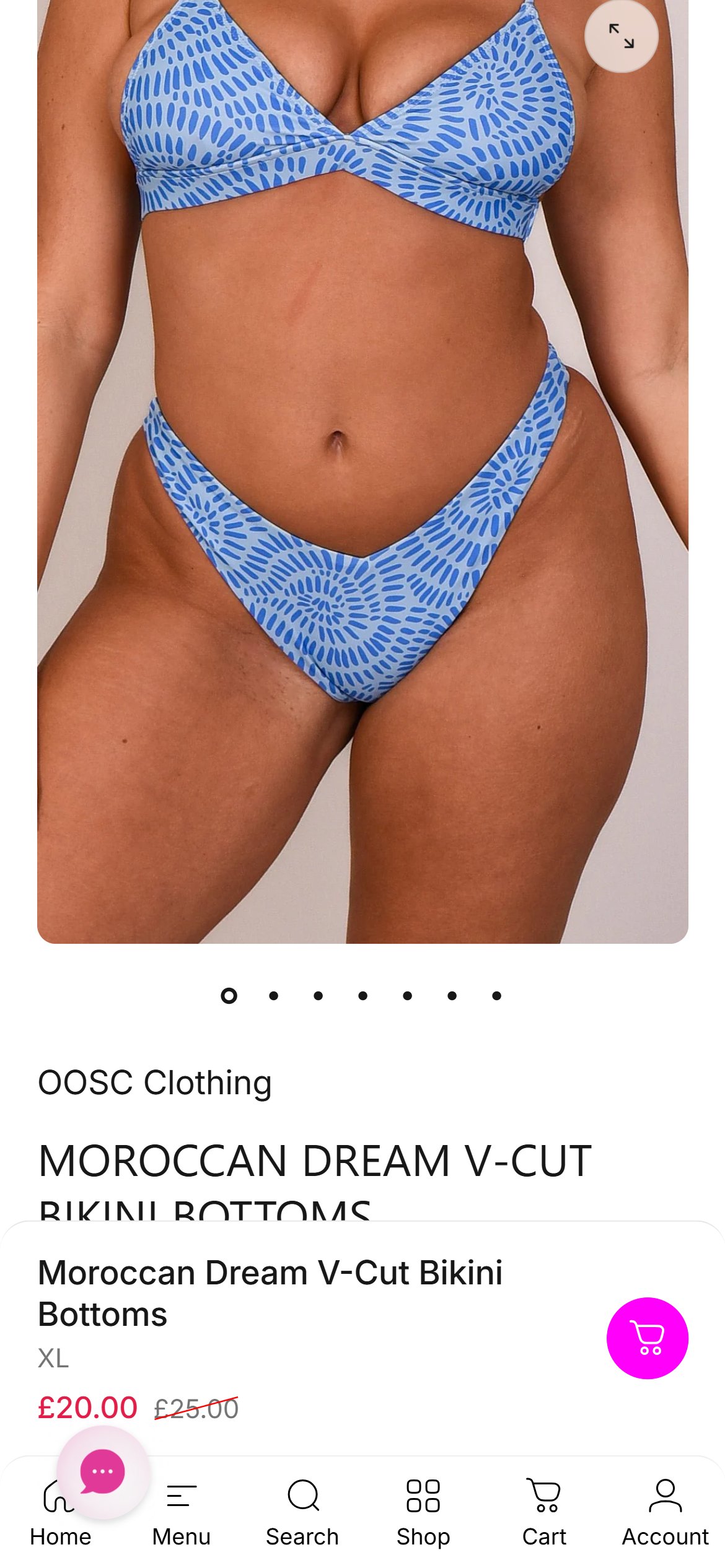
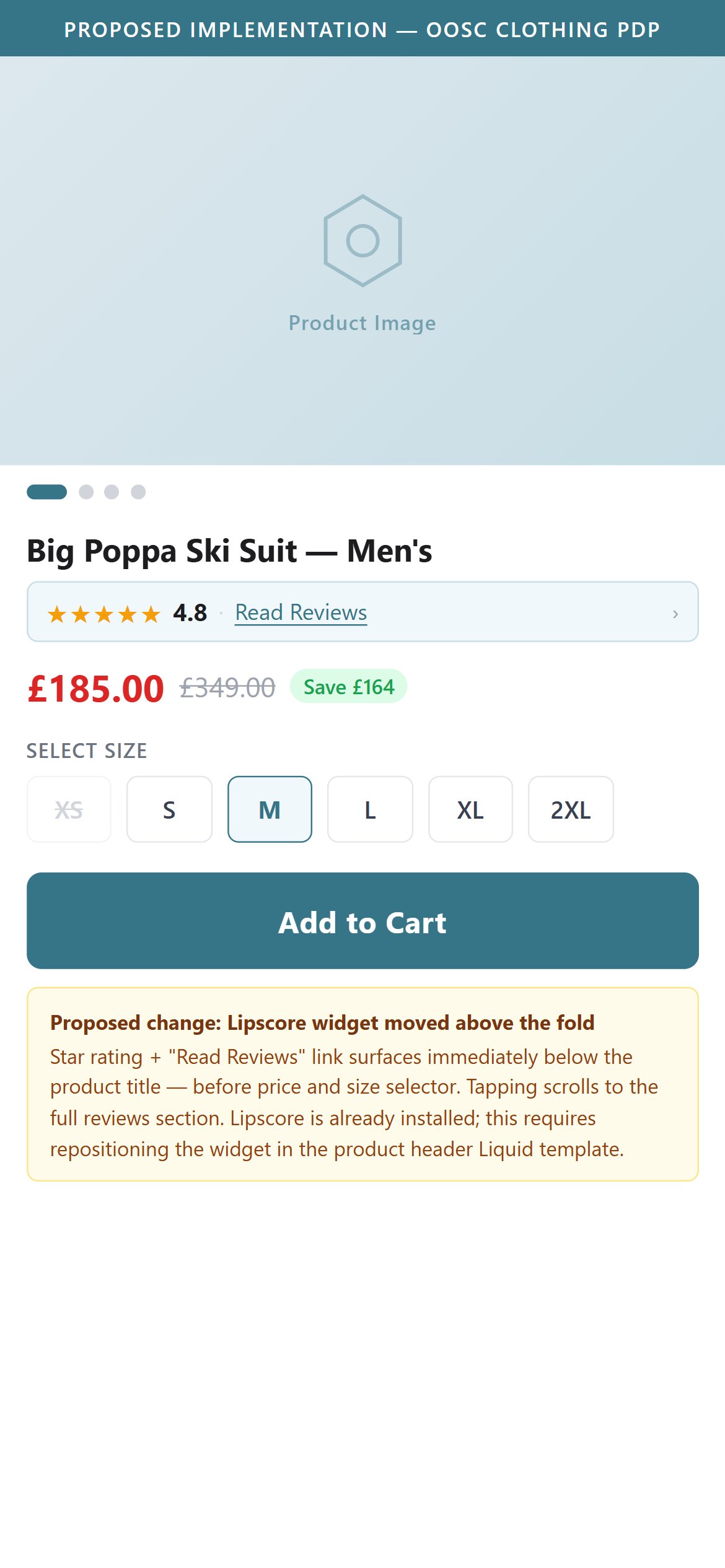
- OOSC's PDP above-the-fold view shows the product image, product name, size selector, and sale price — but no star rating or review count appears near the product title before scrolling.
- Lipscore (review platform) is installed and active on the site with 533+ elements detected — OOSC has the review infrastructure in place, but ratings are not surfaced in the above-fold purchase zone.
- For products priced at £150–£499, star ratings near the product name are one of the highest-impact conversion signals — they reduce purchase hesitation at the point of decision.
- 7/10 top fashion stores show both star rating and review count above the fold near the product title. Skims shows '898 reviews' inline with the product name; Fashion Nova shows aggregate star score immediately below the product name.
- Move the Lipscore rating widget to the product header section — immediately below the product title and above or inline with the price. It should show the star visual + review count ('4.7 ★ · 124 reviews') in a single compact line.
- Ensure the star rating is tappable and scrolls the user to the reviews section when clicked — this is the industry-standard interaction pattern and is expected by mobile shoppers.
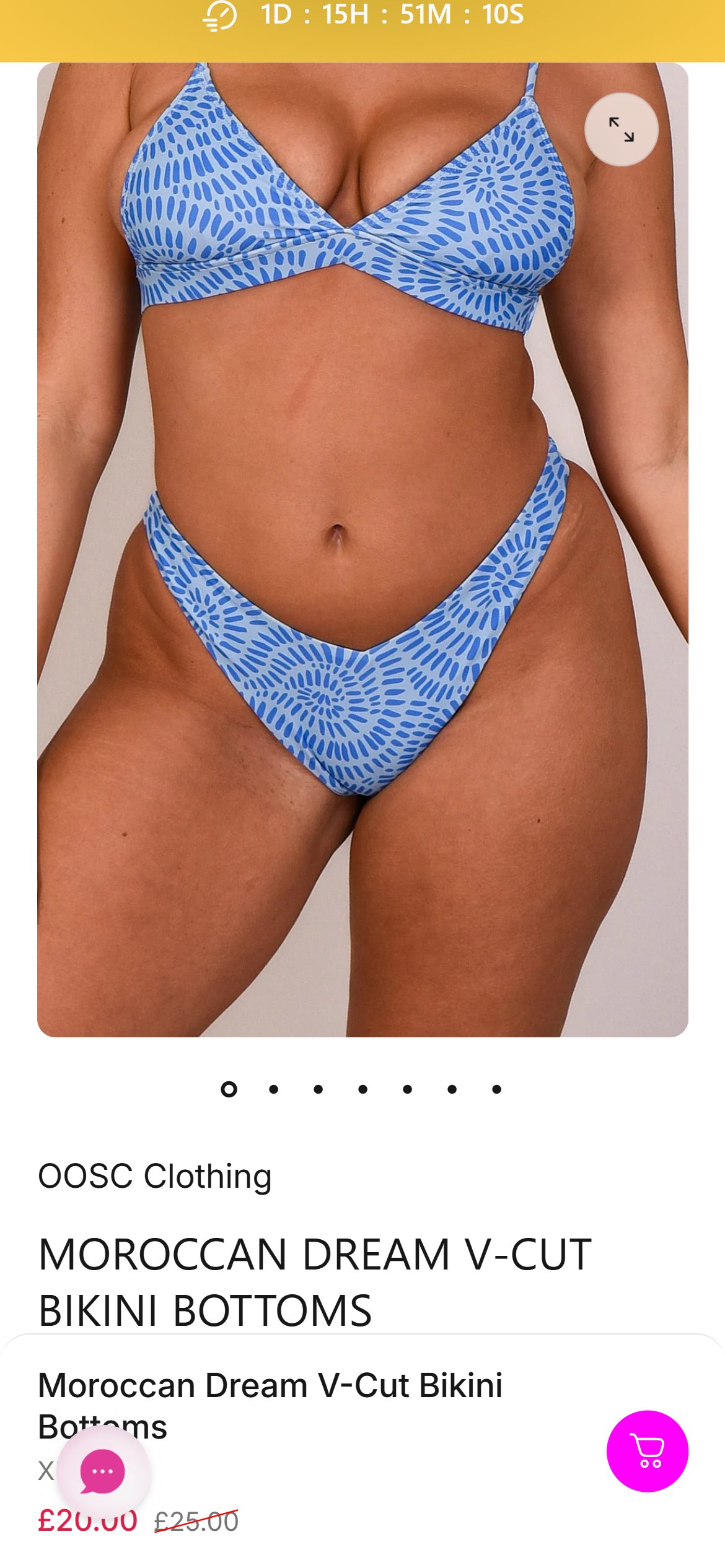
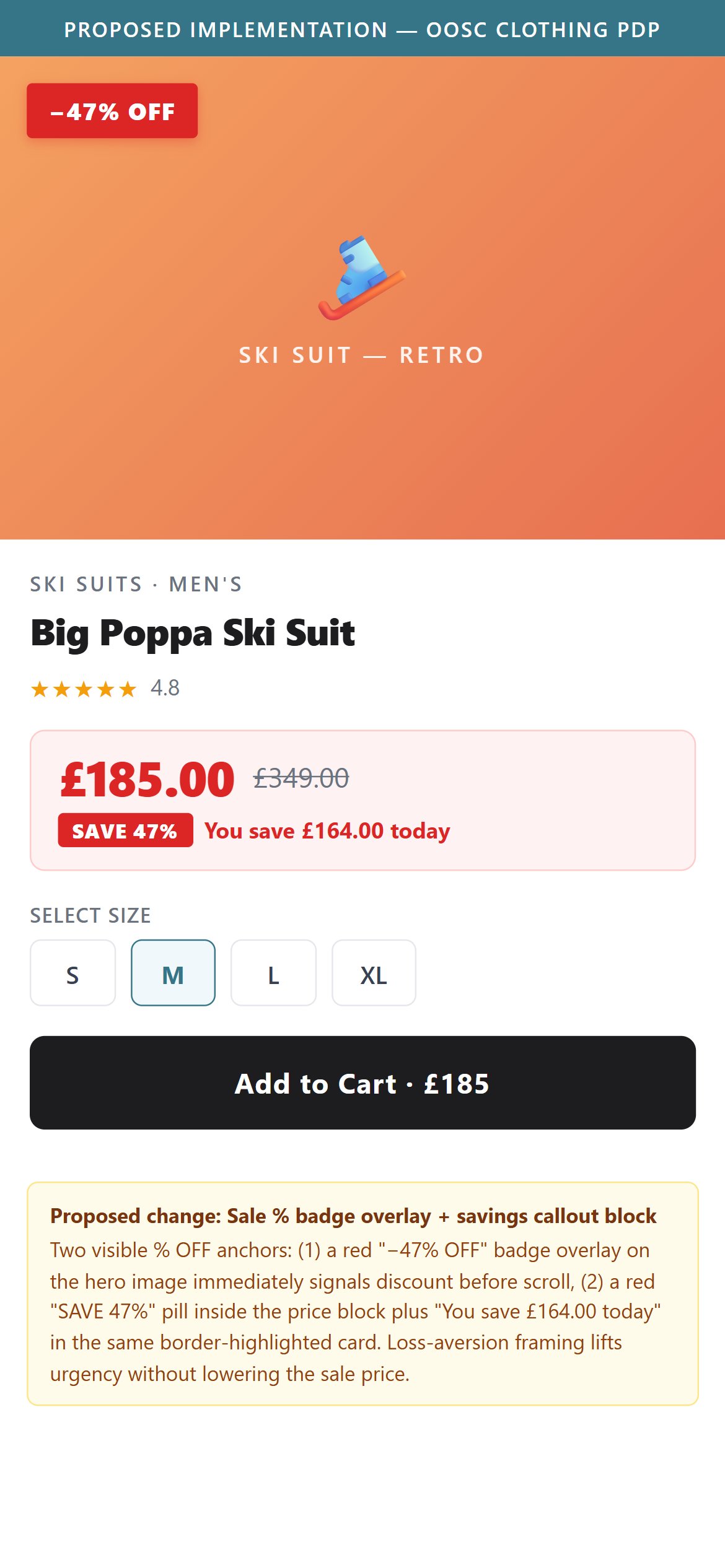
- OOSC's sale PDPs show the discounted price in red alongside a strikethrough original price (e.g. £185 / £349) — but there is no savings amount ('Save £164') or savings percentage badge ('Save 47%') displayed.
- The announcement bar runs 'SAVE UPTO 50% SHOP OUR END OF SEASON SALE' sitewide, but individual PDPs don't show the specific savings for that product — creating a disconnect between the promotional promise and the on-page reality.
- Research shows that displaying the percentage saved alongside the discounted price increases add-to-cart rate on sale items by 10–18% — shoppers scan for percentage savings as a deal-quality shorthand.
- 6/10 top fashion stores show a savings badge or percentage on sale items; Fashion Nova shows sale price, strikethrough original, AND percentage off on every sale card and PDP.
- Add a compact savings badge (e.g. 'Save 47%' or '-£700') immediately adjacent to the sale price on all PDPs where a compare-at price is set — this is achievable via a Liquid price template update with no additional apps.
- Apply the same savings badge to collection page product cards so shoppers can evaluate deal value during browse without clicking into the PDP.
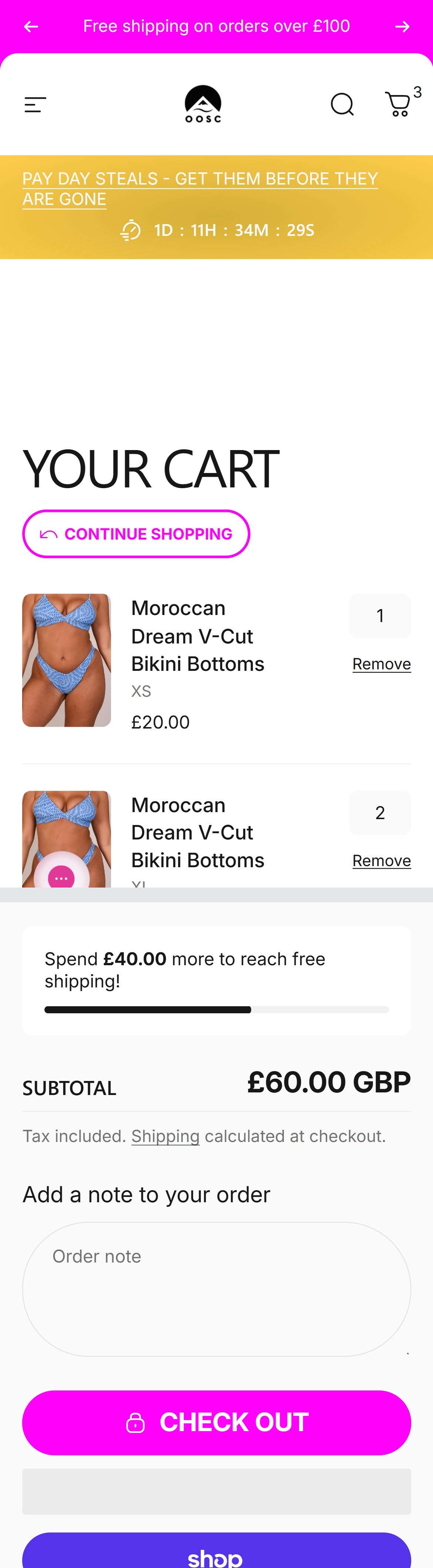
- OOSC's cart page hides the discount code input inside a collapsed 'Discount' accordion — the shopper sees only the header row with a chevron and has to tap to expand before they can even type a code. Above it is a similar collapsed 'Estimate shipping' section, so the pattern reads as buried utility rather than a checkout accelerator.
- The behaviour creates two separate frictions: (a) shoppers who arrive with a code from an email or influencer post have to scan the page for where to input it, and every extra tap in the checkout path costs conversion; (b) shoppers who don't have a code miss the environmental cue that codes exist at all — reducing the odds they'll hunt for one and increasing perceived value from finding one.
- OOSC actively runs multiple concurrent promotions ('End of Season Sale — up to 50% off', 'PAY DAY STEALS'), so the discount field is used constantly — not the once-a-quarter case where a collapsed accordion would be justified.
- 8/10 top fashion Shopify stores expose the discount input by default, above or adjacent to the order summary — Halfdays, Skims, Gymshark all follow this pattern. The one exception (Fashion Nova) uses a full-page cart with the discount at the very top.
- There is a secondary benefit for OOSC's own margin: showing 'Have a promo code?' visibly with an example (SKI20, ENDOFSEASON20) shifts the anchor from full price to sale — shoppers see they're already getting the deal and are less likely to bounce to compare on other sites.
- Expand the discount code input on the cart page by default — replace the collapsed accordion with a visible, highlighted input field labelled 'Have a promo code?' with an Apply button beside it. This is a theme edit to the cart section, no app required.
- Include a placeholder example in the input ('e.g. SKI20') and a short helper line below listing whether codes stack — 'Codes stack up to 20% off — try SKI20 during our End of Season Sale'. Signals that codes exist and reduces the hunt-for-a-code exit.
- When a valid code is applied, show a clearly-styled applied-promo line in the order summary (green with the discount amount) — reinforces value at the checkout decision point.
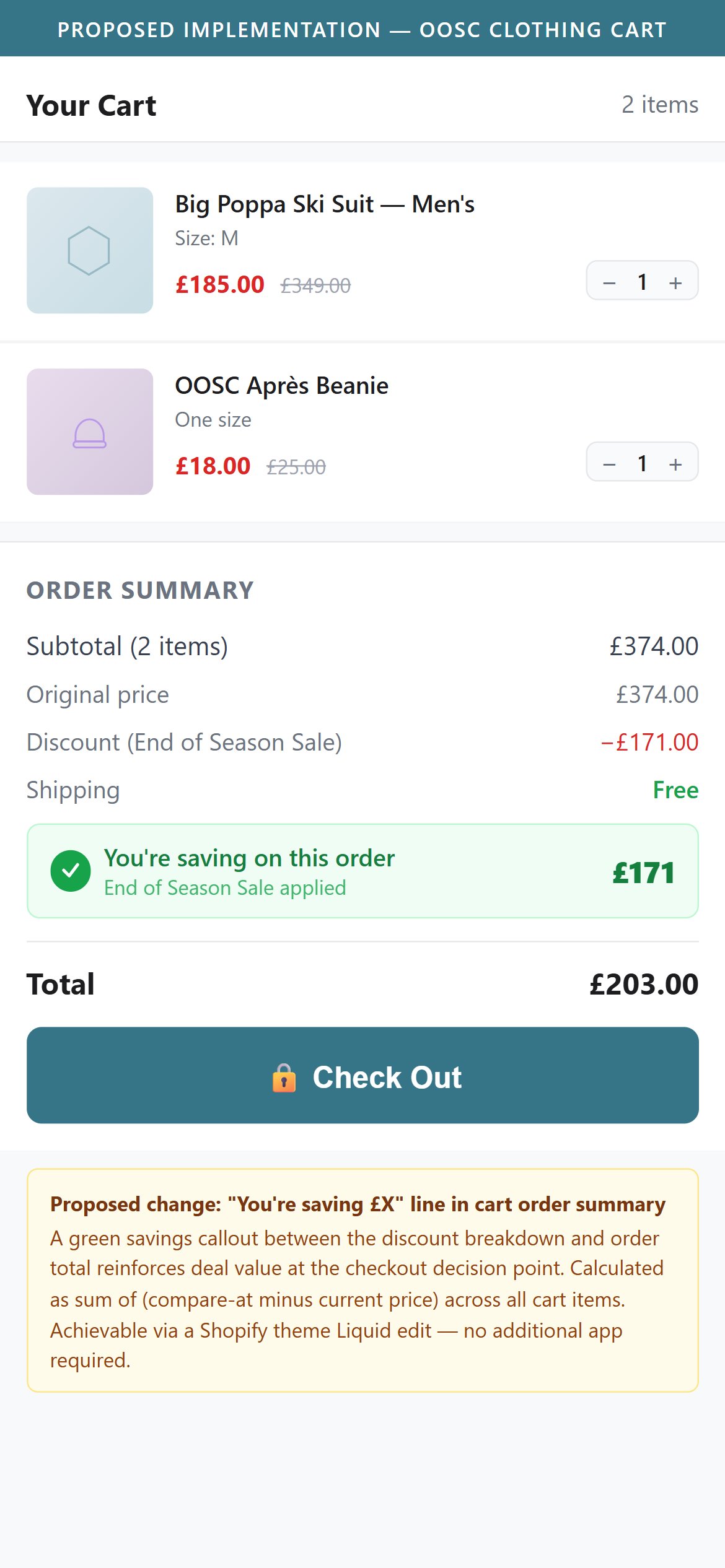
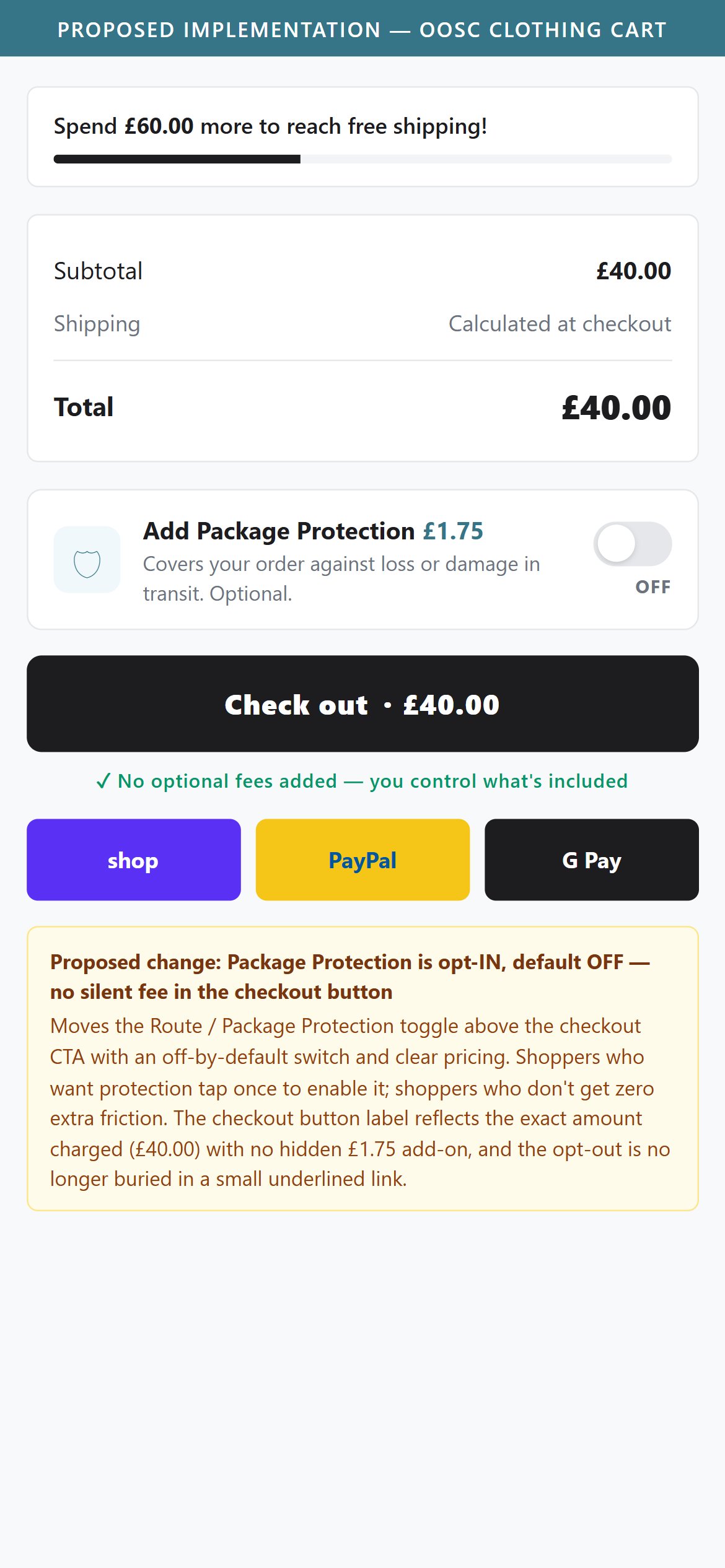
- OOSC's cart summary section shows subtotal (e.g. £40.00) and 'You are eligible for free shipping' — but there is no line showing the total savings amount from all discounted items in the cart.
- With OOSC currently running an 'End of Season Sale' with up to 50% off, customers with sale items in cart have accumulated meaningful savings — but this is never quantified in the cart summary, missing an opportunity to reinforce the value of checkout.
- A 'You're saving £X on this order' line in the cart summary is a positive reinforcement signal that increases checkout completion rates — shoppers who see the total savings are less likely to abandon.
- Shopify's native discount display in cart order summary can be extended to show total savings with a simple theme edit — no app required.
- Add a 'Total Savings: £X' line item to the cart order summary between the subtotal and the checkout button — calculate this as the sum of (compare-at price minus current price) across all cart items.
- Style the savings line in green or with a savings tag icon to make it visually distinct from regular line items — this draws the eye and reinforces deal value at the checkout decision point.
App Ecosystem
What's installed vs what's missing from best-in-class Fashion & Apparel stores
Present (15)
Missing (4)
App Stack Assessment
OOSC has a mature marketing-layer app stack (Klaviyo + Attentive + Triple Whale + WebGains) and a solid support layer (Gorgias). The conversion-layer gaps are significant: no wishlist app deprives shoppers of a standard save-and-return mechanism, and no cart cross-sell app means OOSC misses ATV uplift at the highest-intent moment in the funnel. Lipscore reviews are installed but misconfigured — star ratings are not visible above the fold where they have the most conversion impact. Kiwi Sizing is installed but appears disconnected from PDP templates. Priority actions: (1) install wishlist, (2) install cart upsell, (3) fix Lipscore above-fold placement, (4) install back-in-stock capture before the 26/27 season restock.
Confidential — Prepared for OOSC Clothing by Growisto | 2026-07-01